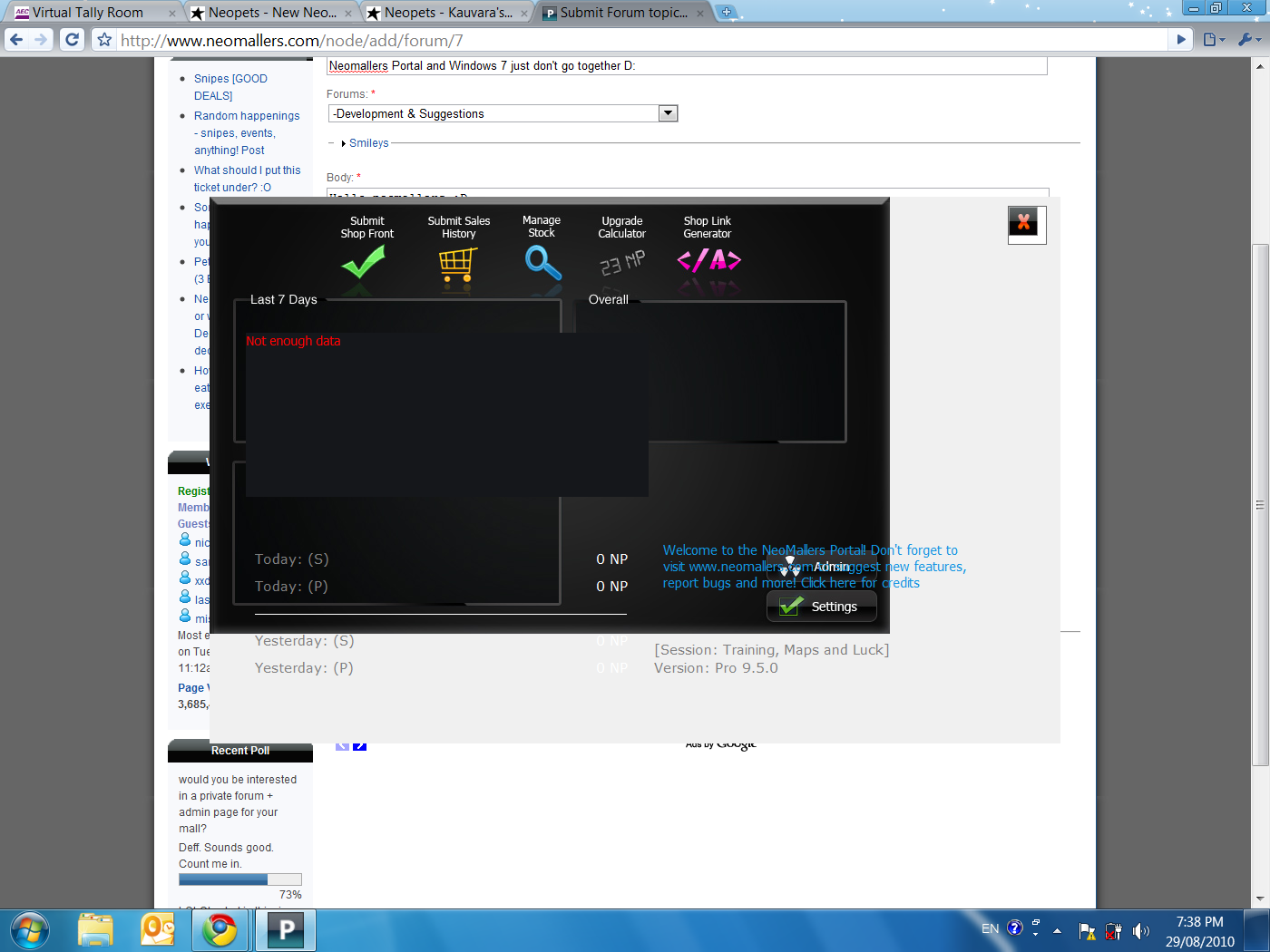
Neomallers Portal and Windows 7 just don't go together D:

Hello neomallers :D I just came back from a mini hiatus... and I had a computer software reload to Windows 7. After downloading neomallers portal again, opening it.... bleh. All the visual propeties are out of proportion and it's really hard to manage. I'll upload a screenshot. Any suggestions? (Current Windows 7 resolution is 1400 x 1050)
AttachmentSize
Image icon windows7portalscreenie.png273.74 KB

First suggestion - get version 10 Beta, which is posted in the Dev. and Suggestions forum. http://www.neomallers.com/node/3055 I'll be on vacation for a week myself, so hopefully that there is enough for you :)

I have the verion 10 beta and it looks EXACTLY the same as the one in the screenshot. Is there any solution to this? I really need this to work for me.... :C

Font settings seems to be the error of choice lately ;) Do you have your font size increased because you have a high resolution on a small monitor?

http://www.neomallers.com/node/3451 I've added it to the FAQ too :P ----------------------------- [color=purple]Are you protected?[/color] http://www.neopets.com/~punchback_bob CG information & more
----------------------------- [color=purple]Protect your account[/color] http://www.neopets.com/~punchback_bob CG information & more

[quote=zixianna]Font settings seems to be the error of choice lately ;) Do you have your font size increased because you have a high resolution on a small monitor?[/quote] it is a brand new computer it is the default settings. I will look at that guide :)

that fixed it 8D

thanks for the suggestion of reducing the font size corrected the problem of portal not working :)

Yay for old VB6 software not being able to handle such things... http://msdn.microsoft.com/en-us/library/3essdeyy%28v=vs.80%29.aspx I'll just put this here to look at later, I wonder if we can make Portal ignore the system font settings in order to avoid said problem...