NeoMallers Portal 10: Final Thoughts?

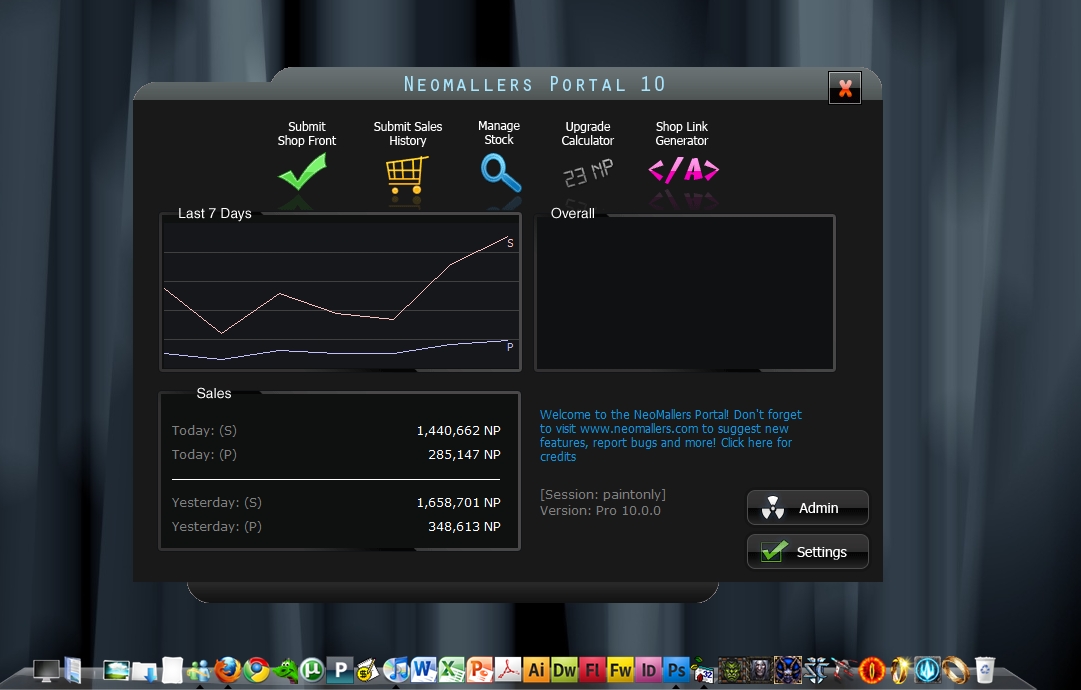
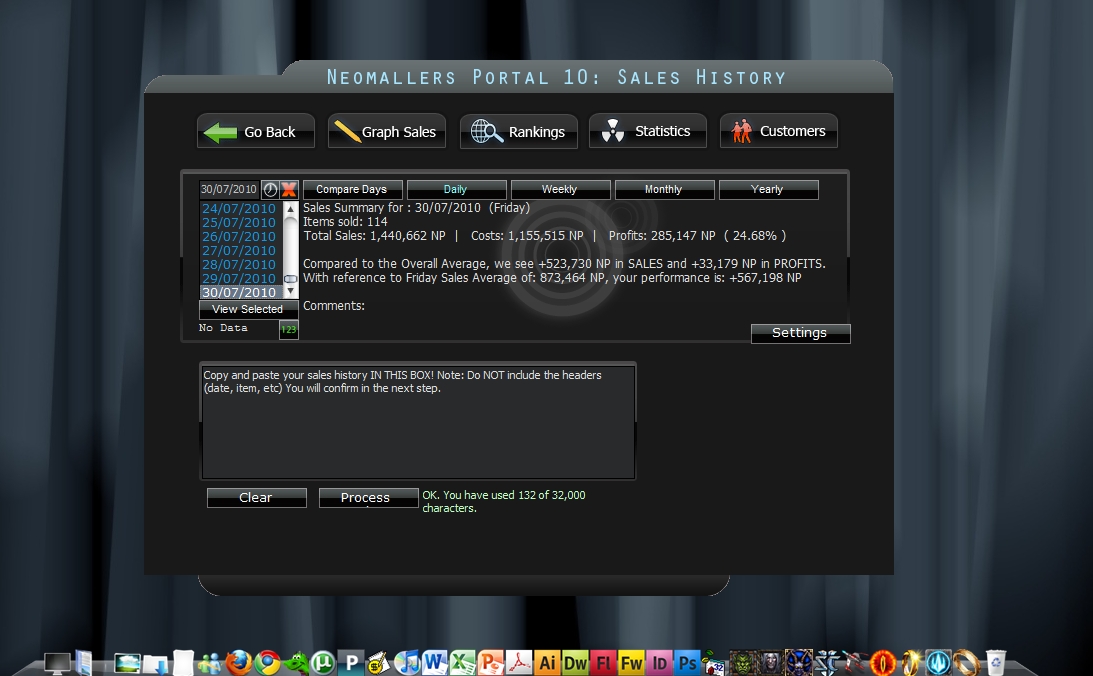
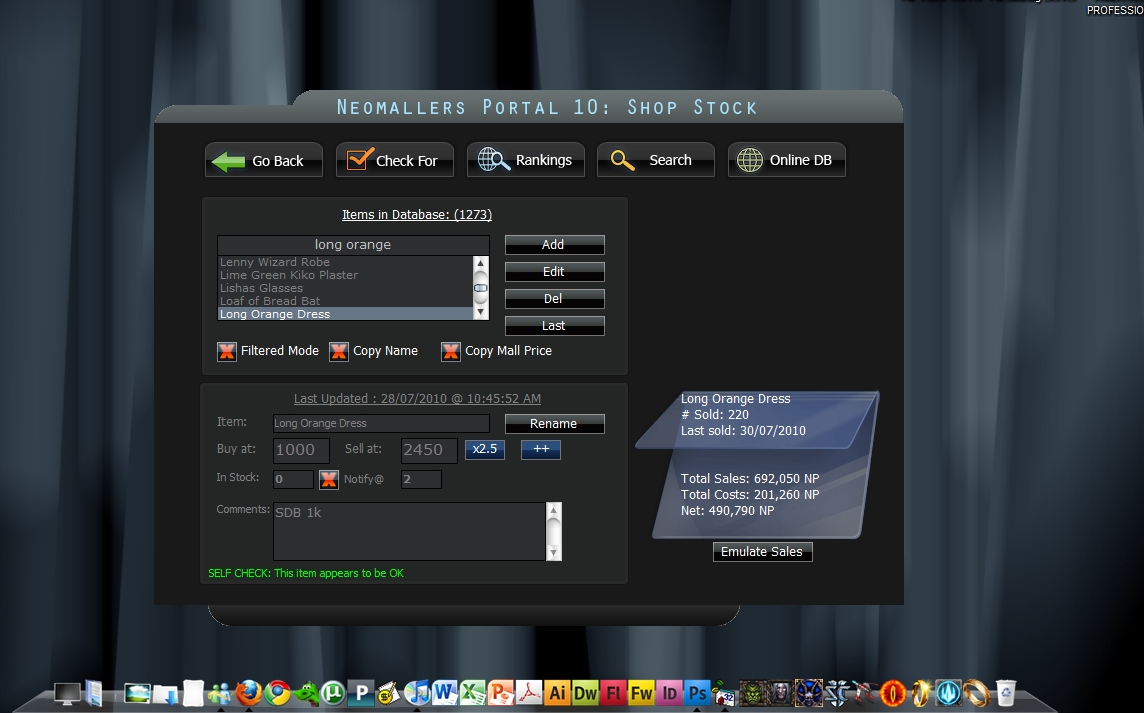
the final version of NeoMallers Portal Pro (Software Edition) is under way and expected to be released in the upcoming days. (yes, it's being simultaneously developed with Analyst, which is the web version) Since i'm working on it anyways, any icky stuff you want to see in there? (no huge stuff please) [b]Enhancements in version 10.0[/b] - new streamlined interface - performance improvements in shop stock. (shop stock ranking processor bumped from 65-70 items per second to roughly 7700-18,885 items per second on my database) - Export and maybe import from Analyst - Shop stock improvement: selecting the comment area no longer highlights the whole damn thing - Update check disabled by default. - fixed the item sold today bug - overall (front screen) now actually shows unique stock, qty items in stock, value and the last update of the shop front - Im lazy feature in shop front setting now saved. - Sorting of shop stock by either alpha, or by wiz/mall price (As suggested by leelo513) Mall and Wiz price can be toggled by double clicking the label as opposed to the checkbox itself. [b]****** Beta 4 is now available. *********[/b] http://neomallers.com/downloads/portal10b4.exe [b]New features: [/b] Beta 4: double clicking an item in filtered mode (out of stock) now defaults to the in stock warn value (vs -1) - Right click action will initiate the -1 effect (to mark it as skipped) - Shop Front Cost added to main screen (Thanks zixianna!) - sales history "went out of stock" bug fixed. Note: Don't forget to backup your current installation/files just in case. (Just copy the entire folder some place else)
AttachmentSize
Image icon neomallers_main.jpg247.48 KB
Image icon neomallers_sales.jpg286.73 KB
Image icon neomallers_shopstock.jpg296.01 KB

[quote=zixianna]Another small behavior that should be easy to change. When submitting sales history, and then going back to the main page, the 'Sales' data box (bottom left) does not update with the just entered info until I click in it, at which point it updates fine. (*lol* Do I pick enough at interfaces?) This may only be when things go out of stock, as it's not consistent, I'll test more. Mousing over 'Value: Actual" changes the description text to "Make a backup copy of your USERS directory or the entire program" You can remove the 'Change Warn Levels' from Admin Tools (unless there really is a way to use it?)[/quote] warn levels is the notify@ default value when adding new items. ----------------------------- [color=purple]Contrary to popular belief, the Irish and I are not married[/color]
----------------------------- [color=purple]Protect your account[/color] http://www.neopets.com/~punchback_bob CG information & more

[center] [font=verdana] *lol* Zixianna, you are really putting a lot of mind into this. -------------------- http://www.neopets.com/browseshop.phtml?owner=leelo513&misc [/font] [/center]
-------------------- http://www.neopets.com/browseshop.phtml?owner=leelo513&misc

[quote=Leelo513] *lol* Zixianna, you are really putting a lot of mind into this. [/quote] Not really, I just use it, and every time something happens that I don't expect, or that I think would work better differently, or could be improved upon (for MY usage that is, obviously everyone uses it slightly differently) :) I'd put more thought into it if I had the code in front of me *lol* [quote=CodeMonkeyExtraordinaire]warn levels is the notify@ default value when adding new items.[/quote] Yes, but the button in the Admin portion, when you click on it, says "Please change this value from the settings panel in portal", and the title of the pop-up box is 'Delete', so I'm guessing you really wanted to delete it anyway *lol*

ohh yeah. i suppose. This was my first "real"/major program anyways. Well i guess 2nd. Since I madeturn-based based game called "World War III" in high school *lol* And i suppose MagicWindows where you can hide inappropriate programs (Messenger, AIM, etc) with a click of a F9 (for school related purposes) and even rename it to like Microsoft Word - Document1 *lol* ----------------------------- [color=purple]Contrary to popular belief, the Irish and I are not married[/color]
----------------------------- [color=purple]Protect your account[/color] http://www.neopets.com/~punchback_bob CG information & more

I know how it is, this is probably close to something I would have written, if I had started it years ago and had a bunch of people always finding bugs on me and asking for more features *lol* Everything I've done has been simpler though, because it's always been for just me!

[quote=zixianna]1) Right clicking in the box for the -1 effect over a blank spot of the list box produces a Run-time error 5, Invalid procedure call or argument.[/quote] It appears this happens when you right click in the box while none of the items in the list are selected.

[font=verdana]I don't know if this has been said but.. In manage stock when I click on "Copy Mall Price" the words (not the checkbox) it takes me back to the home screen. [/font][center]x - - - - - x - - - - - x User Lookup [u][url]http://www.neopets.com/userlookup.phtml?user=vw1282[/url][/u] [/center]
[font=verdana] [/font][center]x - - - - - x - - - - - x User Lookup [u][url]http://www.neopets.com/userlookup.phtml?user=vw1282[/url][/u] [/center]

Can I suggest a feature I have wanted for a long time, when you paste in your shop front, it adds items under 1000np, then when you re-paste at a later date, ti checks the quantity of those items, and if different, allows you to enter how many sold. This takes care of if there are more in stock. I hate not being able to see what sold out under 1000np.

Sorry that would be too complicated to manage. and it has been rejected a couple times when it was brought up. Rather keep the interface simple or at keep minimum price at 1000 so it will show up in sales history. It's a sync issue since if you "forget" to paste in your shop front but still add those items into your shop. Portal wont know you added those items and assume fewer or negative items sold. just makes everything so complicated and hard ----------------------------- [color=purple]Contrary to popular belief, the Irish and I are not married[/color]
----------------------------- [color=purple]Protect your account[/color] http://www.neopets.com/~punchback_bob CG information & more

Is it a possibility to have the multiplier button automatically round to the nearest whole number? e.g with a multiplier of x1.5, instead of putting 1001 to 1501.5, put it to 1502 instead? I realise it's a picky thing :p

Pages